1
Customer support agents
Agents that answer common questions on WhatsApp, email and your website using your own documents. Anything unclear or sensitive goes to a person with the full conversation attached.
AI Agents and Automation
Guvantic designs, builds and maintains AI agents for support, sales, finance and operations. We start with one process, show it working on your real data, and then extend it.
Works with tools your team already uses, such as WhatsApp Business, Google Workspace, Zoho, Tally and Slack.
Last updated
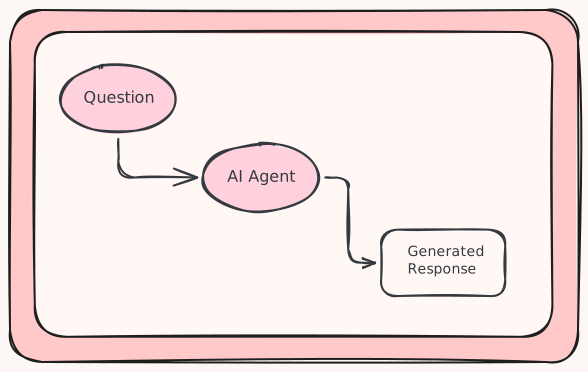
An AI agent is software that reads a request, decides what to do and carries out the steps across your tools, such as replying to a customer, updating a CRM or preparing a report. Workflow automation runs fixed steps when a trigger happens. Guvantic builds both and uses each where it fits.
The difference matters when you plan a project. Fixed automation is cheaper and more predictable for tasks with clear rules. An AI agent is the better choice when the input is messy, such as an email, a scanned invoice or a customer message, and the next step depends on what it says.
Six kinds of work businesses most often ask us to automate.
Agents that answer common questions on WhatsApp, email and your website using your own documents. Anything unclear or sensitive goes to a person with the full conversation attached.
Agents that reply to new enquiries, ask a few qualifying questions, book calls and update your CRM, so leads are not left waiting.
Automation that reads invoices, purchase orders, resumes, KYC forms and emails, pulls out the fields you need and enters them into your systems.
An assistant that answers staff questions from your SOPs, policies and past work, so people get an answer without messaging a colleague.
Scheduled reports, reconciliations, alerts and status updates built from your live data and sent to the right people on time.
Connections between the software you already use, with approval steps, error handling and activity logs, built around how your team works.
Examples of tasks we have automated or scoped for different departments.
| Team | Example tasks |
|---|---|
| Sales | Reply to new leads within minutes, book meetings, update the CRM, draft proposals from a template |
| Customer support | Answer order status and policy questions, tag and route tickets, prepare refund requests for approval |
| Finance | Read invoices and enter the data, send payment reminders, check expense claims, draft monthly reports |
| HR | Screen resumes against a job description, schedule interviews, send onboarding checklists, answer policy questions |
| Operations | Send stock alerts, follow up with vendors, track orders, send daily summaries to managers |
A typical first project takes 2 to 4 weeks from the first call to a working pilot.

Thirty to forty-five minutes. We ask which task costs your team the most time and what a good result looks like.
Two to five days. We write down each step, the tools involved, the exceptions and who approves what.
Two to four weeks. We build one workflow and run it on your real data in a controlled setting.
Your team checks the output. We fix errors and set clear rules for when the agent must stop and ask a person.
We go live, watch the results and adjust. More workflows are added once the first one is stable.
Each approach suits a different kind of task. Many projects use more than one.
| Approach | Best for | Handles unstructured text | Typical setup time | Main limit |
|---|---|---|---|---|
| Manual work | Rare tasks that need judgement | Yes | None | Slow and hard to scale |
| Rule based automation | Fixed steps with a clear trigger | No | Days | Stops working when the input format changes |
| RPA | Repeating clicks in older software | Limited | 2 to 8 weeks | Breaks when screens change |
| Chatbot | Scripted or FAQ style answers | Limited | 1 to 3 weeks | Cannot take action in other systems |
| AI agent | Tasks that need reading, deciding and acting | Yes | 2 to 6 weeks | Needs testing and human review for edge cases |
We tell clients early if a simpler tool will do the job.
We choose the model and tools for each project based on accuracy, running cost and where your data is allowed to go. Common choices include n8n, Zapier, Make, Python, LangChain, OpenAI, Anthropic and Google Gemini models, WhatsApp Business API, Google Workspace, Microsoft 365, Zoho, HubSpot, Tally, Slack and custom REST APIs.
Fixed scope for the first project. Ongoing support is billed monthly.
One workflow, built and tested on your data in 2 to 4 weeks. Fixed price.
Several workflows or a larger integration. Scoped and quoted after the discovery call and process mapping.
Monthly monitoring, fixes and improvements after launch.
AI model usage and hosting are billed at cost and shown as a separate line in every quote, so you can see the running cost before you decide.
An agent should only see what it needs and should never act without limits. We set these limits with you before the build starts.
| Service | AI agent development and workflow automation |
|---|---|
| Provider | Guvantic (guvantic.in), India |
| Serves | Small and mid-size businesses in India, with remote delivery |
| Typical first project | One workflow, live in 2 to 4 weeks |
| Common use cases | Customer support, lead follow-up, invoice and document processing, reporting, internal knowledge search |
| Tools | n8n, Zapier, Make, Python, LangChain, OpenAI, Anthropic, Google Gemini, WhatsApp Business API |
| Human control | Approval steps, action logs and access limits on every project |
| Pricing model | Fixed price pilot, quoted builds, monthly support |
| How to start | Book a call at guvantic.in |
| Last updated | 23 September 2026 |
Guvantic is a technology company in India. We build AI agents, workflow automation and custom software for businesses. This page describes our AI agents and automation service.
Straight answers to what clients ask us before a project starts.
An AI agent is software that reads a request, decides what to do and completes the steps across your tools. For example, it can read a customer email, look up the order, write a reply and update your CRM. It works within limits you set and passes unclear cases to a person.
A chatbot mainly answers questions, often from a script or a set of documents. An AI agent can also take action in other systems, such as creating a ticket, sending an invoice reminder or updating a spreadsheet. Many projects use a chatbot on the front end with an agent doing the work behind it.
Cost depends on the number of steps, the tools connected, the volume of work and whether a person must approve each action. Larger builds are quoted after a discovery call. AI model usage and hosting are listed as a separate monthly cost.
A single workflow usually takes 2 to 4 weeks from the first call to a working pilot. Projects with several workflows, older software or strict approval rules can take 6 to 12 weeks. We give a timeline in writing once we have mapped the process.
Tasks that repeat often and involve reading text or documents work best. Common examples are answering customer queries, following up on leads, entering invoice data, screening resumes, sending payment reminders and preparing daily or monthly reports. If the task has clear rules and a way to check the result, it can usually be automated.
In most cases yes. We connect to tools such as WhatsApp Business, Google Workspace, Microsoft 365, Zoho, HubSpot, Tally and Slack, and to any system that has an API. For software without an API, we look at other options such as email, file exports or browser automation before recommending a change.
We limit each agent to the systems and data its task needs, keep a log of every action and agree on data location and AI model providers before development starts. For sensitive work we can add an approval step so that a person confirms before anything is sent or changed.
Yes, they can. We test every agent on your past cases before launch and set rules for when it must stop and ask a person, such as low confidence, high value or unusual requests. After launch we review the logs and correct the agent when errors appear.
No. Your team works through tools they already know, such as WhatsApp, email or a shared sheet. We handle the build, hosting and monitoring. Someone on your side should own the process and review edge cases, but that person does not need to write code.
We monitor results for the first weeks, fix issues and adjust the rules based on real use. After that you can move to monthly managed support, or take over with the documentation we provide. Most clients add a second workflow once the first one runs without daily attention.
Yes, if the business has a task that repeats often and takes real time each week. A small team with a few hundred customer messages or invoices a month can see a clear benefit. If the task is rare or the volume is very low, a simple template or a spreadsheet is usually a better use of budget.
Book a call and tell us which task takes the most time. We will ask a few questions about the process, the tools and the volume, and then tell you whether an AI agent, simple automation or no automation is the right choice. If it makes sense, we send a written scope for a pilot.
Book a 30 minute call. We will ask about one process and tell you honestly whether an AI agent is the right tool for it.
Book a callOr write to us at info@guvantic.in or call +91 90278 65224.